 License: 1143915
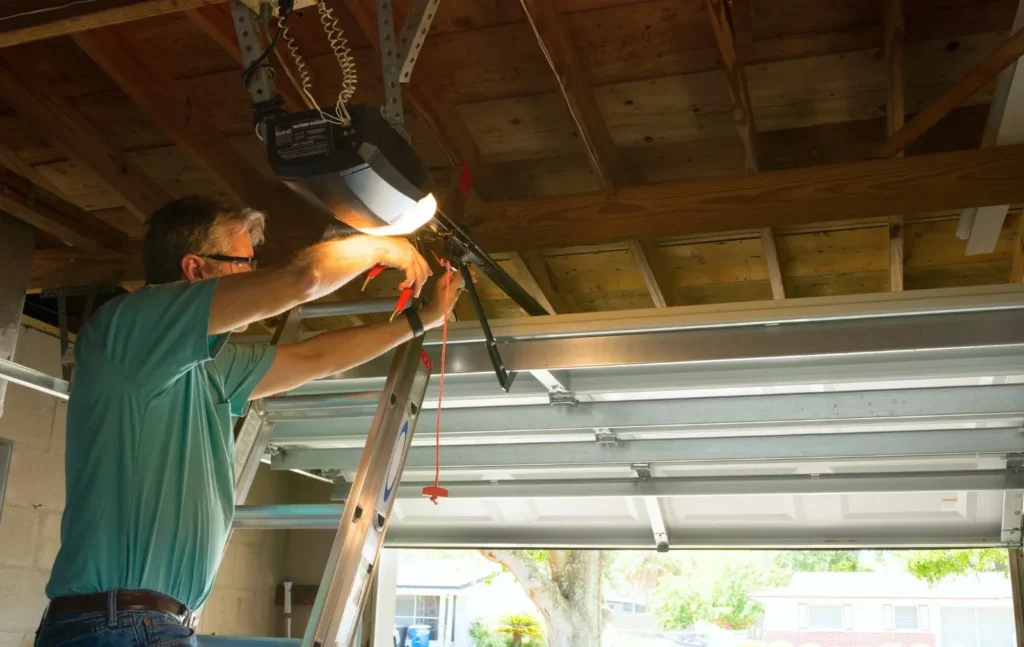
Resetting a garage door opener usually takes under a minute. For a quick soft reset, unplug the opener at the ceiling outlet for about 10 seconds, then plug it back in to reboot the logic board — this clears most random glitches without erasing your remotes. For a full factory reset, press and hold the Learn button on the motor unit until the indicator light goes out, which wipes every paired remote, keypad, and car. A factory reset erases all saved devices, so plan to reprogram each one afterward. If your opener still will not respond after a reset, call One Stop Garage Doors & Gates at (650) 910-6090 — we answer 24/7 across the Bay Area.
Below we walk through every kind of reset — from a simple power-cycle to a full security wipe — plus how to reprogram your devices and when a reset will not fix the problem.
Soft Reset: Power-Cycle the Opener First
Try a soft reset before anything else. It reboots the opener’s logic board the way restarting a computer clears a temporary fault, and it keeps all of your programming intact. Unplug the motor unit from the ceiling outlet, wait about 10 seconds, then plug it back in and test the door. If the outlet is hard to reach, flip the opener’s breaker off and on instead.
This clears many common complaints in San Jose, Santa Clara, and Sunnyvale homes — a door that stopped mid-travel, a flickering opener light, or a remote that suddenly stops pairing. Because a soft reset deletes nothing, there is no risk in trying it first.
Factory Reset With the Learn Button (Erases Every Remote)
A factory reset is different: it wipes the opener’s memory clean. Press and hold the Learn button on the motor head until the small LED beside it goes out, usually about six seconds. Every remote, wall keypad, and HomeLink car button loses its pairing, so you will need to reprogram each one.
The main reason to do this is security. When you move into a new home, there is no way to know how many working remotes the previous owner, their family, or a contractor still has. A factory reset instantly kills every old opener, so only the remotes you reprogram will work — the fastest, cheapest security upgrade a new homeowner can do, and just as useful when a remote is lost or stolen.
Find Your Learn Button: Brand by Brand
The Learn button hides in a different spot on every brand, and its color varies too. Use this quick reference for the most common openers in Bay Area garages.
| Brand | Learn Button Location & Color | Reset Note |
|---|---|---|
| LiftMaster / Chamberlain | Back or side of the motor unit near the antenna wire; colored yellow, red/orange, purple, or green | Press and hold until the LED next to it goes out (about 6 seconds) to erase all remotes. |
| Genie | Under the light lens or on the back panel; often a round “Program Set” button in purple or blue | Hold the Program Set button until the round LED blinks or turns off to clear all codes. |
| Craftsman | Back or side near the antenna; purple, orange, yellow, or green (many units are built by Chamberlain) | Hold about 6 seconds until the indicator LED turns off to wipe every stored remote. |
| Linear | On the motor head, labeled “Learn” or “Program” | Hold until the LED turns off to erase paired devices, then reprogram each one. |
If you cannot find it, check your manual or a printed label on the back panel — and never confuse the Learn button with the “up/down” or “light” buttons on the front.
Reprogram Your Remotes, Keypad, and Car After a Reset
Once a factory reset is done, none of your devices will work until you pair them again. Reprogram them in this order:
- Hand remote: Press the Learn button once (the LED lights up), then press the button on your remote within 30 seconds. The opener light will blink to confirm.
- Wall keypad: Press Learn again, enter your chosen PIN on the keypad, and press Enter within 30 seconds to lock it in.
- Car (HomeLink or Car2U): Hold the car’s button until it blinks fast while pointing a working remote at it, then press Learn on the motor unit and tap the car button twice.
- Extra remotes: Repeat the first step for each additional remote you want to keep active.
Work through them one at a time, testing each device before moving on. If a remote will not pair, replace its coin-cell battery and try again — a weak battery is the most common reprogramming failure.
Resetting Travel and Force Limits
Sometimes the opener works but the door stops short, reverses on its own, or does not seal at the floor. That points to the travel and force limits, not the memory. These are set with small dials or buttons on the motor unit that tell the opener how far to move and how much force to use.
Nudge the “up” and “down” travel dials in small steps, running a full cycle after each change until the door opens fully and seals tight without bouncing. If it still misbehaves — or you are unsure which control does what — leave it to a pro. Over-tightening the force setting defeats the safety reverse, so that is worth a quick service call through our garage door repair in San Jose.
Resetting myQ and Wi-Fi
Smart openers add a Wi-Fi layer that sometimes needs its own reset. If the myQ app loses connection or you are switching to a new router or phone, reset only the Wi-Fi — not the whole opener. On most LiftMaster and Chamberlain units, hold the Wi-Fi/Adjust button until the blue LED blinks, then re-add the opener in the myQ app and follow the setup steps.
A Wi-Fi reset does not touch your remotes or keypad, so your physical controls keep working throughout. If the app still will not connect after two tries, the router band (myQ needs 2.4 GHz) is usually the culprit, not the opener.
Rolling-Code Security: Why Resets Matter
Modern openers use rolling-code technology, so the access code changes every time you press the remote. That is why a factory reset is so effective for security: once you erase and reprogram, any old device is locked out for good and cannot “guess” the new sequence. It also explains why your car sometimes needs the extra Learn-button step above — older HomeLink systems have to be taught the rolling code, not just a fixed frequency.
When a Reset Won’t Fix It — Call a Pro
A reset cures software and programming faults, but it cannot repair worn-out hardware. If you have soft-reset and factory-reset the opener and it still will not run, the problem is physical. The usual culprits are a failed logic board, a burned-out capacitor, a stripped plastic drive gear, or an antenna that no longer receives the remote signal.
In the Bay Area, a replacement logic board typically runs about $150 to $350 installed, and a full opener replacement often lands in the $400 to $700 range depending on horsepower and drive type. These are typical 2026 ranges; call (650) 910-6090 for an exact quote. If your opener is over ten years old and failing often, replacement is usually the better value — and our team at garage door opener repair in San Jose can give you an honest repair-or-replace recommendation on the spot.
For model-specific reset steps, check the manufacturer directly, such as LiftMaster support.
Frequently Asked Questions
What is the difference between a soft reset and a factory reset?
A soft reset just power-cycles the opener. You unplug it for about 10 seconds and plug it back in, which reboots the logic board without deleting anything. A factory reset uses the Learn button to erase every paired remote, keypad, and car so you can start over. Try the soft reset first, since it fixes most glitches and keeps your programming.
Will resetting my garage door opener erase all of my remotes?
Yes. A factory reset with the Learn button clears the opener memory, so every remote, wall keypad, and HomeLink car button will stop working until you program them again. A simple power-cycle reset does not erase anything. Only do a full Learn-button reset when you actually want a clean slate, such as after moving in.
How do I reset my opener after moving into a new home?
Hold the Learn button on the motor unit until the indicator light goes out, which erases the previous owner remotes for good. Then program your own remotes, keypad, and car from scratch. This is the fastest way to make sure a lost or extra opener from the old owner can no longer open your door. It costs nothing and takes only a few minutes.
How do I reprogram my car to the opener after a reset?
First program a hand remote to the opener as normal. Then, in your car, hold the HomeLink or Car2U button until the light blinks fast while pointing the working remote at it. Finally, press the Learn button on the motor unit and tap the car button twice within 30 seconds. Some rolling-code openers need this Learn-button step, so check your car and opener manuals.
Why won’t my garage door opener reset?
The most common reason is timing, since many openers give you only about 30 seconds after pressing the Learn button. If nothing happens at all when you press Learn, the button, the logic board, or the antenna may have failed. A dead board will not accept new codes no matter how many times you try. In that case a reset cannot help and the unit needs service.
How much does it cost if a reset does not fix my opener?
A simple diagnosis is inexpensive, and a new remote or keypad is a small cost. A failed logic board or a worn drive gear costs more to replace, and a full opener replacement is the largest expense. These are typical 2026 ranges; call (650) 910-6090 for an exact quote.
Need Help Resetting or Repairing Your Opener?
If a reset did not do the trick, or you would rather have it handled right the first time, call One Stop Garage Doors & Gates at (650) 910-6090. We are family-owned, licensed (CSLB #1143915), bonded, insured, and open 24/7 for homeowners across San Jose, Santa Clara, Sunnyvale, Cupertino, Campbell, Los Gatos, Milpitas, Mountain View, and the wider South Bay and Peninsula. We will diagnose your opener honestly and get your door working again fast.
Need a Garage Door or Gate Fixed Today?
One Stop Garage Doors & Gates offers same-day service across San Jose, Santa Clara & the South Bay — licensed, upfront pricing, no surprise fees.
Call (650) 910-6090Schedule Online